FNMP是FreeBSD+Nginx+MariaDB/MySQL+PHP环境的缩写,按照发音,也写作FEMP环境。本文讲述如何在FreeBSD 13.2中安装和配置Nginx+MariaDB/MySQL+PHP。
硬件环境
Lenovo ThinkPad T14 Gen2 20W1S3H811: Intel i5-1145G7 + DDR4 16GB + NVMe 512GB
软件环境
Win11 x64 Build 22621.2134 英文专业版 + VirtualBox v7.0.8 r156879
VirtualBox安装FreeBSD 13.2
默认安装即可
FreeBSD 13.2准备工作
允许root用户通过ssh远程登录
编辑/etc/rc.conf文件启用sshd服务vi /etc/rc.conf,如果没有就加入一行sshd_enable= "YES"
FreeBSD默认不允许root账号以ssh远程登录,编辑sshd配置文件以允许vi /etc/ssh/sshd_config,找到#PermitRootLogin no改成PermitRootLogin yes
重启ssh服务service sshd restart
FreeBSD仓库换国内源
FreeBSD有4类源:pkg、ports、portsnap、update。对于失去安全支持的版本,如 FreeBSD 9.0 是没有 pkg 源可用的,只能使用当时的 ports 编译安装软件。
FreeBSD的仓库默认源在国外,从国内访问速度很慢。为方便使用,有必要为FreeBSD仓库换国内源。常用的有北京交大源、中科大源、南京大学源、网易163源、China FreeBSD源等。目前境内没有官方镜像站,这些均非官方镜像站。
有些国外pkg源速度还行,官网 https://pkg.freebsd.org/ 可以查看源清单。
下文仅介绍最常用的pkg换源方法。对于一个源列出多个镜像站,无需全部配置,只需选择其一即可。
pkg源提供二进制安装包。pkg下载路径是/var/cache/pkg/。FreeBSD中pkg源分为系统级和用户级两个源,不建议直接修改/etc/pkg/FreeBSD.conf,因为该文件会随着基本系统的更新而发生改变。
创建用户级源目录mkdir -p /usr/local/etc/pkg/repos
创建用户级源文件vi /usr/local/etc/pkg/repos/cn.conf,写入以下内容:cn: {
# 北京交通大学自由与开源软件镜像站bjtu
# url: "pkg+https://mirror.bjtu.edu.cn/reverse/freebsd-pkg/${ABI}/quarterly",
# url: "pkg+https://freebsd-pkg.mirror.bjtulug.org/${ABI}/quarterly",
# 中国科学技术大学开源软件镜像站ustc
url: "pkg+https://mirrors.ustc.edu.cn/freebsd-pkg/${ABI}/quarterly",
# 南京大学开源镜像站nju
# url: "pkg+https://mirrors.nju.edu.cn/freebsd-pkg/${ABI}/quarterly",
# 网易开源镜像站163
# url: "pkg+https://mirrors.163.com/freebsd-pkg/${ABI}/quarterly",
# China FreeBSD镜像站
# url: "pkg+https://pkg1.chinafreebsd.cn/${ABI}/latest",
# url: "pkg+https://pkg.freebsd.cn/${ABI}/quarterly",
# 台湾源
# url: "pkg+https://pkg0.twn.freebsd.org/${ABI}/latest",
mirror_type: "srv",
signature_type: "none",
fingerprints: "/usr/share/keys/pkg",
enabled: yes
}
检查FreeBSD更新freebsd-update fetch国内访问速度很慢,可能要多试几次才行
freebsd-update install
更新pkg包管理软件本身pkg
The package management tool is not yet installed on your system.
Do you want to fetch and install it now? [y/N]: y
Bootstrapping pkg from pkg+https://mirrors.ustc.edu.cn/freebsd-pkg/FreeBSD:13:amd64/quarterly, please wait…
Installing pkg-1.19.2…
Extracting pkg-1.19.2: 100%
pkg: not enough arguments
Usage: pkg [-v] [-d] [-l] [-N] [-j |-c |-r ] [-C ] [-R ] [-o var=value] [-4|-6] <command> [<args>]
For more information on available commands and options see 'pkg help'.
更新程序包仓库目录pkg update
Updating FreeBSD repository catalogue…
FreeBSD repository is up to date.
Updating cn repository catalogue…
Fetching meta.conf: 100% 163 B 0.2kB/s 00:01
Fetching packagesite.pkg: 100% 7 MiB 1.8MB/s 00:04
Processing entries: 100%
cn repository update completed. 33869 packages processed.
All repositories are up to date.
更新程序包pkg upgrade
Updating FreeBSD repository catalogue…
pkg: https://pkgmir.geo.freebsd.org/FreeBSD:13:amd64/quarterly/packagesite.pkg: No address record
FreeBSD repository is up to date.
Updating cn repository catalogue…
cn repository is up to date.
All repositories are up to date.
Updating database digests format: 100%
Checking for upgrades (1 candidates): 100%
Processing candidates (1 candidates): 100%
Checking integrity… done (0 conflicting)
Your packages are up to date.
查看FreeBSD版本uname -a
FreeBSD VM-FreeBSD132 13.2-RELEASE FreeBSD 13.2-RELEASE releng/13.2-n254617-525ecfdad597 GENERIC amd64
安装Screenpkg search screen
...
screen-4.9.0_6 Multi-screen window manager
...
pkg install -y screen-4.9.0_6
Updating FreeBSD repository catalogue…
pkg: https://pkgmir.geo.freebsd.org/FreeBSD:13:amd64/quarterly/packagesite.pkg: No address record
FreeBSD repository is up to date.
Updating cn repository catalogue…
cn repository is up to date.
All repositories are up to date.
The following 2 package(s) will be affected (of 0 checked):
New packages to be INSTALLED:
indexinfo: 0.3.1 [cn]
screen: 4.9.0_6 [cn]
Number of packages to be installed: 2
The process will require 1 MiB more space.
490 KiB to be downloaded.
[1/2] Fetching indexinfo-0.3.1.pkg: 100% 6 KiB 5.7kB/s 00:01
[2/2] Fetching screen-4.9.0_6.pkg: 100% 485 KiB 496.6kB/s 00:01
Checking integrity… done (0 conflicting)
[1/2] Installing indexinfo-0.3.1…
[1/2] Extracting indexinfo-0.3.1: 100%
[2/2] Installing screen-4.9.0_6…
[2/2] Extracting screen-4.9.0_6: 100%
=====
Message from screen-4.9.0_6:
--
As of GNU Screen 4.4.0:
Note that there was fix to screen message structure field
responsible for $TERM handling, making it impossible
to attach to older versions.
查看Screen版本screen -v
Screen version 4.09.00 (GNU) 30-Jan-22
安装Nginx
安装Nginxpkg search nginx
nginx-1.24.0_6,3 Robust and small WWW server
pkg install -y nginx-1.24.0_6,3
...
[1/2] Fetching nginx-1.24.0_6,3.pkg: 100% 463 KiB 473.9kB/s 00:01
[2/2] Fetching pcre2-10.42.pkg: 100% 1 MiB 1.4MB/s 00:01
Checking integrity… done (0 conflicting)
[1/2] Installing pcre2-10.42…
[1/2] Extracting pcre2-10.42: 100%
[2/2] Installing nginx-1.24.0_6,3…
===> Creating groups.
Using existing group 'www'.
===> Creating users
Using existing user 'www'.
[2/2] Extracting nginx-1.24.0_6,3: 100%
=====
Message from nginx-1.24.0_6,3:
...
Default path for the NGINX dynamic modules is
/usr/local/libexec/nginx.
可以看到,与Linux使用www-data账户和组不同,FreeBSD默认使用www账户和组来运行Apache2/Nginx。
查看Nginx版本nginx -v
nginx version: nginx/1.24.0
启动Nginx
让Nginx服务随系统启动,需要在/etc/rc.conf配置文件的末尾添加一行nginx_enable=”YES”
可以用vi编辑/etc/rc.conf,也可以用sysrc命令sysrc nginx_enable="YES"
service nginx start
Performing sanity check on nginx configuration:
nginx: the configuration file /usr/local/etc/nginx/nginx.conf syntax is ok
nginx: configuration file /usr/local/etc/nginx/nginx.conf test is successful
Starting nginx.
列举IPv4协议监听socketssockstat -4l | grep nginx
www nginx 778 7 tcp4 *:80 *:*
root nginx 777 7 tcp4 *:80 *:*
可以看到nginx服务已经在tcp80端口监听
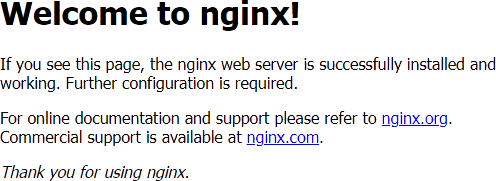
在浏览器地址栏输入 https://FreeBSD_IP/
如Nginx工作正常,可以看到如下图所示页面:
安装PHP 8.3
安装PHP 8.3pkg search php83
...
php83-8.3.0.a2 PHP Scripting Language (8.3.X branch)
...
pkg install -y php83-8.3.0.a2
Updating FreeBSD repository catalogue…
FreeBSD repository is up to date.
Updating cn repository catalogue…
cn repository is up to date.
All repositories are up to date.
The following 5 package(s) will be affected (of 0 checked):
New packages to be INSTALLED:
compat10x-amd64: 10.4.1004000.20181014 [FreeBSD]
libargon2: 20190702 [cn]
libxml2: 2.10.4 [cn]
php83: 8.3.0.a2 [cn]
readline: 8.2.1 [cn]
Number of packages to be installed: 5
The process will require 45 MiB more space.
8 MiB to be downloaded.
[1/5] Fetching libxml2-2.10.4.pkg: 100% 1 MiB 1.2MB/s 00:01
[2/5] Fetching compat10x-amd64-10.4.1004000.20181014.pkg: 100% 2 MiB 1.2MB/s 00:02
[3/5] Fetching libargon2-20190702.pkg: 100% 64 KiB 65.3kB/s 00:01
[4/5] Fetching readline-8.2.1.pkg: 100% 371 KiB 379.7kB/s 00:01
[5/5] Fetching php83-8.3.0.a2.pkg: 100% 5 MiB 2.4MB/s 00:02
Checking integrity… done (0 conflicting)
[1/5] Installing readline-8.2.1…
[1/5] Extracting readline-8.2.1: 100%
[2/5] Installing libxml2-2.10.4…
[2/5] Extracting libxml2-2.10.4: 100%
[3/5] Installing libargon2-20190702…
[3/5] Extracting libargon2-20190702: 100%
[4/5] Installing compat10x-amd64-10.4.1004000.20181014…
[4/5] Extracting compat10x-amd64-10.4.1004000.20181014: 100%
[5/5] Installing php83-8.3.0.a2…
[5/5] Extracting php83-8.3.0.a2: 100%
查看php版本php -v
PHP 8.3.0alpha2 (cli) (built: Aug 5 2023 01:24:10) (NTS)
Copyright (c) The PHP Group
Zend Engine v4.3.0-dev, Copyright (c) Zend Technologies
在Nginx中启用php-fpm (FastCGI Process Manager)
准备php测试脚本phpinfo.phpecho '<?php phpinfo();' > /usr/local/www/nginx/phpinfo.php
在浏览器地址栏输入 https://FreeBSD_IP/phpinfo.php
发现没有获得phpinfo()函数的输出,而是下载了phpinfo.php文件。这是因为Nginx的php-fpm没有正确配置。
启动php-fpm服务
设置php-fpm随系统启动sysrc php_fpm_enable="YES"启动php-fpm服务
php_fpm_enable: -> YESservice php-fpm start
Performing sanity check on php-fpm configuration:
[10-Sep-2023 15:14:20] NOTICE: configuration file /usr/local/etc/php-fpm.conf test is successful
Starting php_fpm.
列举IPv4协议监听socketssockstat -4l | grep php-fpm
www php-fpm 1030 6 tcp4 127.0.0.1:9000 :
www php-fpm 1029 6 tcp4 127.0.0.1:9000 :
root php-fpm 1028 8 tcp4 127.0.0.1:9000 :
可以看到php-fpm服务已经在tcp9000端口监听
编辑Nginx配置文件vi /usr/local/etc/nginx/nginx.conf
server{}段中的location / {}段和location ~ \.php$ {}段中的root值应该相同,所以可以把root /usr/local/www/nginx;提升到location / {}外面一层,对location / {}段和location ~ \.php$ {}段都起作用。root /usr/local/www/nginx;将location ~ \.php$ {}段中的各行首的注释符#去掉;
location / {
# root /usr/local/www/nginx;
index index.html index.htm;
}#root html行首的注释符#不要去掉或者此行可以删掉;fastcgi_param SCRIPT_FILENAME的值要修改,否则会因为路径错误找不到报404错误(若/usr/local/etc/php.ini中设置了cig.fix_pathinfo=0则404错误还会附加No input file specified消息):location ~ .php$ {
# root html;
fastcgi_pass 127.0.0.1:9000;
fastcgi_index index.php;
# fastcgi_param SCRIPT_FILENAME /scripts$fastcgi_script_name;
fastcgi_param SCRIPT_FILENAME $document_root$fastcgi_script_name;
include fastcgi_params;
}
重启Nginxservice nginx restart
Performing sanity check on nginx configuration:
nginx: the configuration file /usr/local/etc/nginx/nginx.conf syntax is ok
nginx: configuration file /usr/local/etc/nginx/nginx.conf test is successful
Stopping nginx.
Waiting for PIDS: 777.
Performing sanity check on nginx configuration:
nginx: the configuration file /usr/local/etc/nginx/nginx.conf syntax is ok
nginx: configuration file /usr/local/etc/nginx/nginx.conf test is successful
Starting nginx.
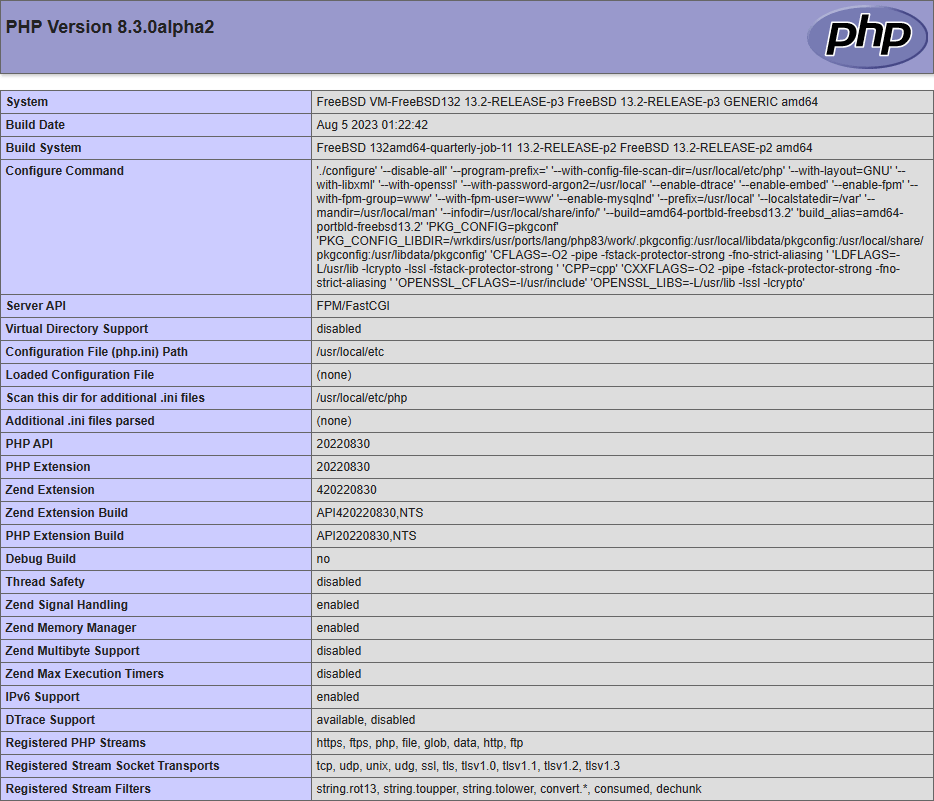
在浏览器地址栏输入 https://FreeBSD_IP/phpinfo.php
如Nginx和php-fpm工作正常,可以看到如下图所示页面:
删除phpinfo.php以免服务器信息泄露rm /usr/local/www/nginx/phpinfo.php
安装配置MariaDB/MySQL(二选一,默认不共存)
安装配置MariaDB
安装MariaDBpkg search mariadb
...
mariadb1011-server-10.11.4 Multithreaded SQL database (server)
...
pkg install -y mariadb1011-server-10.11.4
Updating FreeBSD repository catalogue…
pkg: https://pkg.freebsd.org/FreeBSD:13:amd64/quarterly/packagesite.pkg: No address record
FreeBSD repository is up to date.
Updating cn repository catalogue…
cn repository is up to date.
All repositories are up to date.
The following 22 package(s) will be affected (of 0 checked):
New packages to be INSTALLED:
bash: 5.2.15 [cn]
boost-libs: 1.82.0_1 [cn]
ca_root_nss: 3.89.1 [cn]
curl: 8.1.2 [cn]
galera26: 26.4.15 [cn]
gettext-runtime: 0.21.1 [cn]
icu: 73.2,1 [cn]
libedit: 3.1.20221030,1 [cn]
libfmt: 9.1.0 [cn]
libiconv: 1.17 [cn]
libidn2: 2.3.4 [cn]
liblz4: 1.9.4,1 [cn]
libnghttp2: 1.53.0 [cn]
libpsl: 0.21.2_3 [FreeBSD]
libssh2: 1.11.0,3 [cn]
libunistring: 1.1 [cn]
mariadb1011-client: 10.11.4 [cn]
mariadb1011-server: 10.11.4 [cn]
rsync: 3.2.7 [cn]
unixODBC: 2.3.11 [cn]
xxhash: 0.8.1_2 [cn]
zstd: 1.5.5 [cn]
Number of packages to be installed: 22
The process will require 612 MiB more space.
78 MiB to be downloaded.
[1/22] Fetching mariadb1011-client-10.11.4.pkg: 100% 2 MiB 2.2MB/s 00:01
...
[22/22] Fetching ca_root_nss-3.89.1.pkg: 100% 269 KiB 275.7kB/s 00:01
Checking integrity… done (0 conflicting)
[1/22] Installing libunistring-1.1…
[1/22] Extracting libunistring-1.1: 100%
...
[22/22] Installing mariadb1011-server-10.11.4…
===> Creating groups.
Using existing group 'mysql'.
===> Creating users
Using existing user 'mysql'.
===> Creating homedir(s)
[22/22] Extracting mariadb1011-server-10.11.4: 100%
=====
Message from boost-libs-1.82.0_1:
...
Using wsrep clustering requires adding a configuration file.
Copy /usr/local/etc/mysql/conf.d/wsrep.conf.sample to
/usr/local/etc/mysql/conf.d/wsrep.conf and change what you need there.
查看MariaDB版本mariadb -V
mariadb Ver 15.1 Distrib 10.11.4-MariaDB, for FreeBSD13.2 (amd64) using EditLine wrapper
启动MariaDB服务
设置MariaDB随系统启动sysrc mysql_enable="YES"启动MariaDB服务
mysql_enable: -> YESservice mysql-server start
Starting mysql.
增强MariaDB安全性mariadb-secure-installation # 注意这里是连线符-
或mysql_secure_installation # 注意这里是下划线_Enter current password for root (enter for none): # MariaDB默认root密码为空
如果MariaDB服务尚未启动,此处会报错ERROR 2002 (HY000): Can't connect to local server through socket '/var/run/mysql/mysql.sock' (2)Switch to unix_socket authentication [Y/n] Y # 切换到unix_socket认证方式Change the root password? [Y/n] n # unix_socket认证通过系统账户进行,这里可以保持MariaDB的root密码为空Remove anonymous users? [Y/n] Y # 移除系统内置的匿名用户Disallow root login remotely? [Y/n] Y # 禁止MariaDB的root用户远程登录Remove test database and access to it? [Y/n] Y # 移除系统内置的测试数据库Reload privilege tables now? [Y/n] Y # 重新加载权限表
(可选项)修改MariaDB认证方式
MariaDB默认使用unix_socket认证方式,即以OS用户账号登录MariaDB,安全性由OS保证,数据库用户默认空密码。详见MariaDB官网解释:Authentication Plugin – Unix Socket – MariaDB Knowledge Base
可以修改MariaDB认证方式为MySQL密码方式mysql_native_password。操作流程如下:mariadb或mysqlroot@localhost [(none)]> use mysql;
root@localhost [mysql]> select user, plugin from user where user='root';
如果plugin是unix_socket,参考MariaDB官网,用以下SQL语句修改:root@localhost [mysql]> alter user 'root'@'localhost' identified via mysql_native_password; # 修改认证方式root@localhost [mysql]> alter user 'root'@'localhost' identified by 'root_password'; # 必须修改密码才能生效。否则root用户仍可以用空密码进入MariaDB。root@localhost [mysql]> exit; # 退出MariaDB
安装配置MySQL
安装MySQLpkg search mysql
...
mysql80-server-8.0.32_3 Multithreaded SQL database (server)
...
pkg install -y mysql80-server-8.0.32_3
Updating FreeBSD repository catalogue…
FreeBSD repository is up to date.
Updating cn repository catalogue…
cn repository is up to date.
All repositories are up to date.
The following 27 package(s) will be affected (of 0 checked):
New packages to be INSTALLED:
ca_root_nss: 3.89.1 [cn]
curl: 8.1.2 [cn]
cyrus-sasl: 2.1.28 [cn]
groff: 1.22.4_4 [cn]
hidapi: 0.14.0 [cn]
icu: 73.2,1 [cn]
libcbor: 0.10.2 [cn]
libcjson: 1.7.15_1 [cn]
libedit: 3.1.20221030,1 [cn]
libevent: 2.1.12 [cn]
libfido2: 1.13.0 [cn]
libiconv: 1.17 [cn]
libidn2: 2.3.4 [cn]
liblz4: 1.9.4,1 [cn]
libnghttp2: 1.53.0 [cn]
libpaper: 1.1.28 [cn]
libpsl: 0.21.2_3 [FreeBSD]
libssh2: 1.11.0,3 [cn]
libunistring: 1.1 [cn]
libunwind: 20211201_2 [cn]
mysql80-client: 8.0.32_3 [cn]
mysql80-server: 8.0.32_3 [cn]
openldap26-client: 2.6.4 [cn]
perl5: 5.32.1_3 [cn]
psutils: 1.17_5 [cn]
uchardet: 0.0.8 [cn]
zstd: 1.5.5 [cn]
Number of packages to be installed: 27
The process will require 467 MiB more space.
58 MiB to be downloaded.
[1/27] Fetching cyrus-sasl-2.1.28.pkg: 100% 968 KiB 991.4kB/s 00:01
…
[27/27] Fetching uchardet-0.0.8.pkg: 100% 112 KiB 114.4kB/s 00:01
Checking integrity… done (0 conflicting)
[1/27] Installing libunistring-1.1…
[1/27] Extracting libunistring-1.1: 100%
...
[27/27] Installing mysql80-server-8.0.32_3…
===> Creating groups.
Creating group 'mysql' with gid '88'.
===> Creating users
Creating user 'mysql' with uid '88'.
===> Creating homedir(s)
[27/27] Extracting mysql80-server-8.0.32_3: 100%
=====
Message from cyrus-sasl-2.1.28:
...
MySQL80 has a default /usr/local/etc/mysql/my.cnf,
remember to replace it with your own
or set mysql_optfile="$YOUR_CNF_FILE in rc.conf.
查看MySQL版本mysql -V
mysql Ver 8.0.32 for FreeBSD13.2 on amd64 (Source distribution)
启动MySQL服务
设置MySQL随系统启动sysrc mysql_enable="YES"启动MySQL服务
mysql_enable: -> YESservice mysql-server start
Starting mysql.
增强MySQL安全性mysql_secure_installation # 注意这里是下划线_
如果MySQL服务尚未启动,此处会提示Enter current password for root (enter for none):回车后报错Error: Can't connect to local MySQL server through socket '/tmp/mysql.sock' (2)Would you like to setup VALIDATE PASSWORD component? # 这里敲Y的话则MySQL用户密码必须满足复杂度要求
Press y|Y for Yes, any other key for No: nPlease set the password for root here. # 设置MySQL的root密码
New password:Re-enter new password: # 确认MySQL的root密码Remove anonymous users? (Press y|Y for Yes, any other key for No) : Y # 移除系统内置的匿名用户Disallow root login remotely? (Press y|Y for Yes, any other key for No) : Y # 禁止MySQL的root用户远程登录Remove test database and access to it? (Press y|Y for Yes, any other key for No) : Y # 移除系统内置的测试数据库Reload privilege tables now? (Press y|Y for Yes, any other key for No) : Y # 重新加载权限表
(可选项)修改MySQL认证方式
MySQL 8 root账户默认使用auth_socket认证方式,即以OS用户账号登录MariaDB,安全性由OS保证,数据库root用户默认空密码;其他MySQL 8账户默认使用caching_sha2_password认证方式。详见MySQL官网解释:MySQL :: MySQL Secure Deployment Guide :: 11 Enabling Authentication
修改MySQL认证方式操作步骤参考修改MariaDB认证方式。
PHP安装php-mysql PDO模块以访问MariaDB/MySQLpkg search php83-mysqli
php83-mysqli-8.3.0.a2 The mysqli shared extension for php
pkg install -y php83-mysqli-8.3.0.a2
Updating FreeBSD repository catalogue…
FreeBSD repository is up to date.
Updating cn repository catalogue…
cn repository is up to date.
All repositories are up to date.
The following 1 package(s) will be affected (of 0 checked):
New packages to be INSTALLED:
php83-mysqli: 8.3.0.a2 [cn]
Number of packages to be installed: 1
49 KiB to be downloaded.
[1/1] Fetching php83-mysqli-8.3.0.a2.pkg: 100% 49 KiB 49.8kB/s 00:01
Checking integrity… done (0 conflicting)
[1/1] Installing php83-mysqli-8.3.0.a2…
[1/1] Extracting php83-mysqli-8.3.0.a2: 100%
=====
Message from php83-mysqli-8.3.0.a2:
--
This file has been added to automatically load the installed extension:
/usr/local/etc/php/ext-20-mysqli.ini
Leave a Reply